
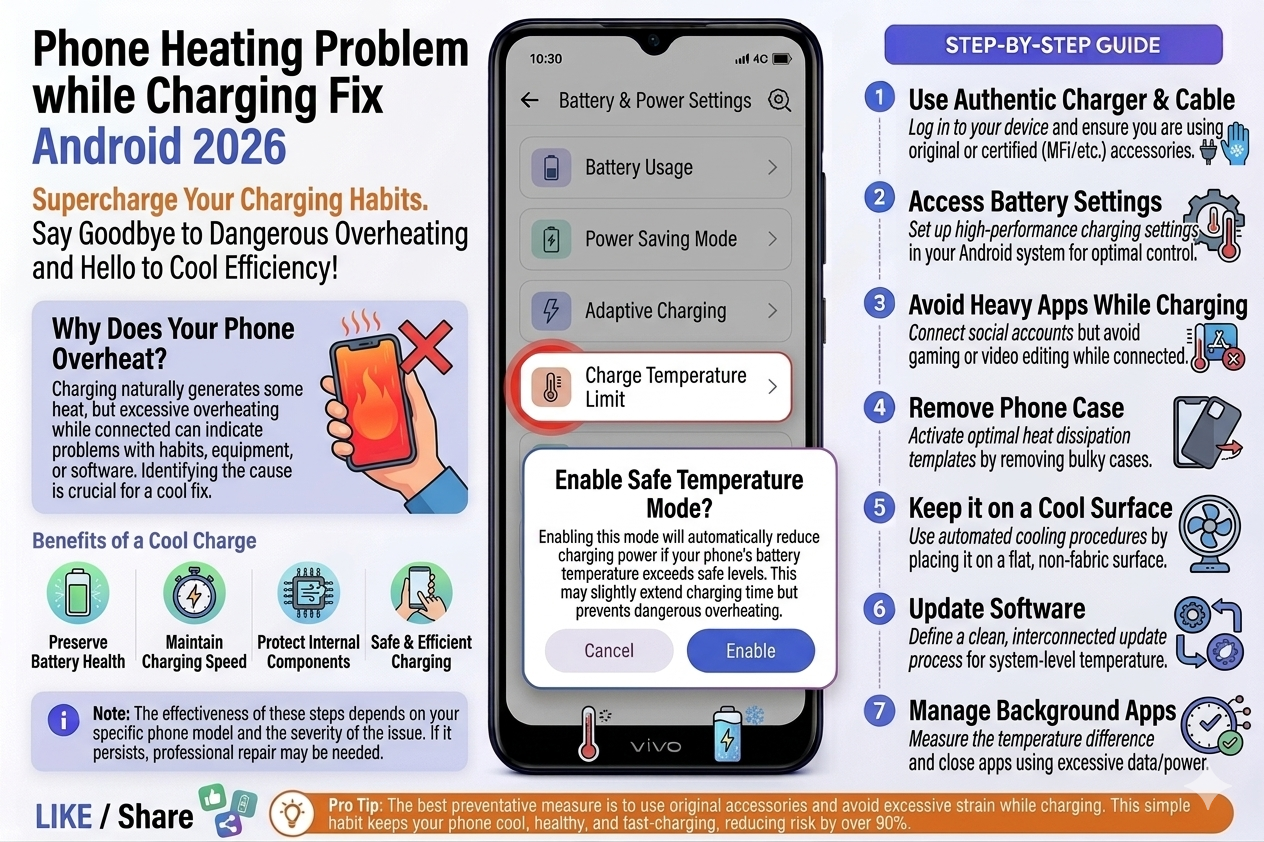
My Android Phone Was Getting Dangerously Hot While Charging — Here’s What Actually Fixed It
Not the generic advice you’ve already tried. These are the real causes and fixes that worked on my Redmi, Samsung, and my friend’s OnePlus.
Last summer, my Redmi Note 11 was plugged in on my desk, and I picked it up to answer a call. The back of it felt like a cup of chai that had been sitting for five minutes — not scalding, but uncomfortably warm. I ignored it for a few days. Then one afternoon, the phone literally threw me a warning: “Phone is too hot. Charging paused.”
That’s when I started actually paying attention. I went down a rabbit hole — forums, Reddit threads, YouTube teardown videos — and eventually figured out that most of the advice online is either too vague (“just don’t use it while charging”) or misses the actual root cause completely.
So I’m writing this from real experience. I’ve dealt with overheating on my own Redmi, helped a friend fix his Samsung Galaxy A54, and recently sorted out a heating issue on my cousin’s OnePlus Nord. The causes were different each time. The fixes were too. Let me walk you through all of it.
🔥 Why Does Your Android Phone Get Hot While Charging?
First, a small reality check: some warmth while charging is completely normal. Your battery is a chemical system — pushing electrons back into it generates heat. That’s physics, not a defect. The problem starts when “warm” becomes “hot,” and “hot” becomes “ouch.”
Here are the actual causes, ranked from most to least common based on what I’ve seen:
🌡️ What Temperature Is Actually Too Hot?
Most people go by feel, which isn’t reliable. Here’s the actual temperature guide based on what Android systems use internally:
You can check your battery temperature right now without any app. Open your dialer and type *#*#4636#*#* — this opens a hidden Android testing menu. Tap “Battery Information” and you’ll see the real-time temperature. On my Redmi, I watched it climb from 38°C to 46°C over 20 minutes while I was on a video call and charging at the same time. Eye-opening.
This USSD code works on most Android phones but not all. If it doesn’t work, use an app like AIDA64 or CPU-Z — both are free and show real-time battery temperature. AIDA64 is what I use personally.
🔧 Step-by-Step: How to Fix Android Phone Heating While Charging
Work through these in order. I’m arranging them from easiest/most impactful to more involved. Most people fix the problem at step 3 or 4.
Seriously, start here. I know it sounds too simple, but when I removed my thick POCO case during charging, the back temperature dropped about 5–6 degrees in 15 minutes. Cases — especially the thick ones — block the phone’s natural heat dissipation through the metal or glass back. Charge caseless, at least until you fix the underlying problem.
Not on your bed. Not under a pillow. On your desk, on tiles, on a wooden table — something that lets air circulate and doesn’t add heat. Beds trap heat like crazy because the mattress molds around the phone. Tiles and hard surfaces act as passive heat sinks.
Use only the original charger that came with your phone, or a certified one from the same brand. Third-party chargers — especially cheap ones from local markets — often deliver inconsistent voltage. Your phone’s charging IC has to work overtime to regulate it, and all that extra work becomes heat. My Samsung A54 friend’s problem was entirely a ₹150 no-brand charger. Switched to the original 25W adapter and the heating stopped within two days.
The first 15 minutes of charging are the most intense — the battery draws maximum current during this phase. Add screen usage, processor load, and a bright display to that, and you’ve created a perfect heat storm. Set it down. Check social media on your laptop. The phone will charge faster and cooler.
Go to Settings → Battery → Battery Usage (wording varies by brand). Look for any app showing unusually high battery consumption. If an app is using 20–30% battery but you haven’t opened it today, force-stop it immediately. On my Redmi, BGMI was the serial offender — it ran background processes even after I closed it. Force-stopping it every time I charged dropped my phone temp by a noticeable amount.
Counterintuitive? A little. But enabling Battery Saver limits background activity, reduces screen brightness, and throttles background syncing — all of which contribute to heat. On Samsung, there’s even an “Adaptive charging” option under Battery settings that deliberately slows down charging to reduce heat. It’s worth enabling overnight.
Sometimes accumulated cache makes the phone work harder for routine tasks. On Xiaomi/Redmi phones, go to Settings → Additional Settings → Privacy → Clear all data — don’t worry, this only clears cached files, not your personal data. On Samsung, you can wipe the cache partition from recovery mode (Power + Volume Up + Bixby at startup). Sounds scary but takes 30 seconds and can make a real difference.
A buggy OS version or a specific app with a memory leak can cause sustained high CPU usage that makes charging feel like running a furnace. Keep your Android version and all apps updated. The BGMI heating issue I mentioned earlier? Fixed by a game update three weeks after I first noticed it. I’d been manually force-stopping it until then.
This is a diagnostic step more than a permanent fix. Put your phone in Airplane Mode and plug it in. If it charges significantly cooler, your network radio (4G/5G) is the heat contributor. 5G especially — the modem generates a lot of heat when searching for signal in weak coverage areas. If Airplane Mode charging is noticeably cooler, consider switching to 4G only during charging.
🔌 The Charger & Cable Problem Nobody Talks About Enough
I want to spend more time on this because I genuinely think it’s the most underrated cause. The cable matters almost as much as the charger itself.
A damaged USB cable — one that’s been bent at the connector, frayed in the middle, or just cheaply made — creates resistance in the connection. That resistance means the current has to push harder to flow through, and that extra push becomes heat. You can literally have a good charger ruined by a bad cable.
“I replaced my phone’s charger three times before realizing the cable was the problem. The fourth time, I replaced just the cable. Fixed.”
How to check: borrow a friend’s original cable and use it with your charger. If the heating reduces, you’ve found your culprit. Cables from Anker, Baseus, or your phone brand’s official accessories are worth the extra hundred rupees. The ₹80 market cables are not.
Fast charging (Qualcomm Quick Charge, Xiaomi HyperCharge, Samsung Super Fast Charging) generates more heat than standard charging by design — it’s pushing more power in less time. This is normal. If your fast charger makes your phone hot but a standard 5W charger doesn’t, that’s expected behavior, not a problem. The issue is when heat becomes excessive even at normal charging speeds.
📲 Apps That Are Probably Cooking Your Phone
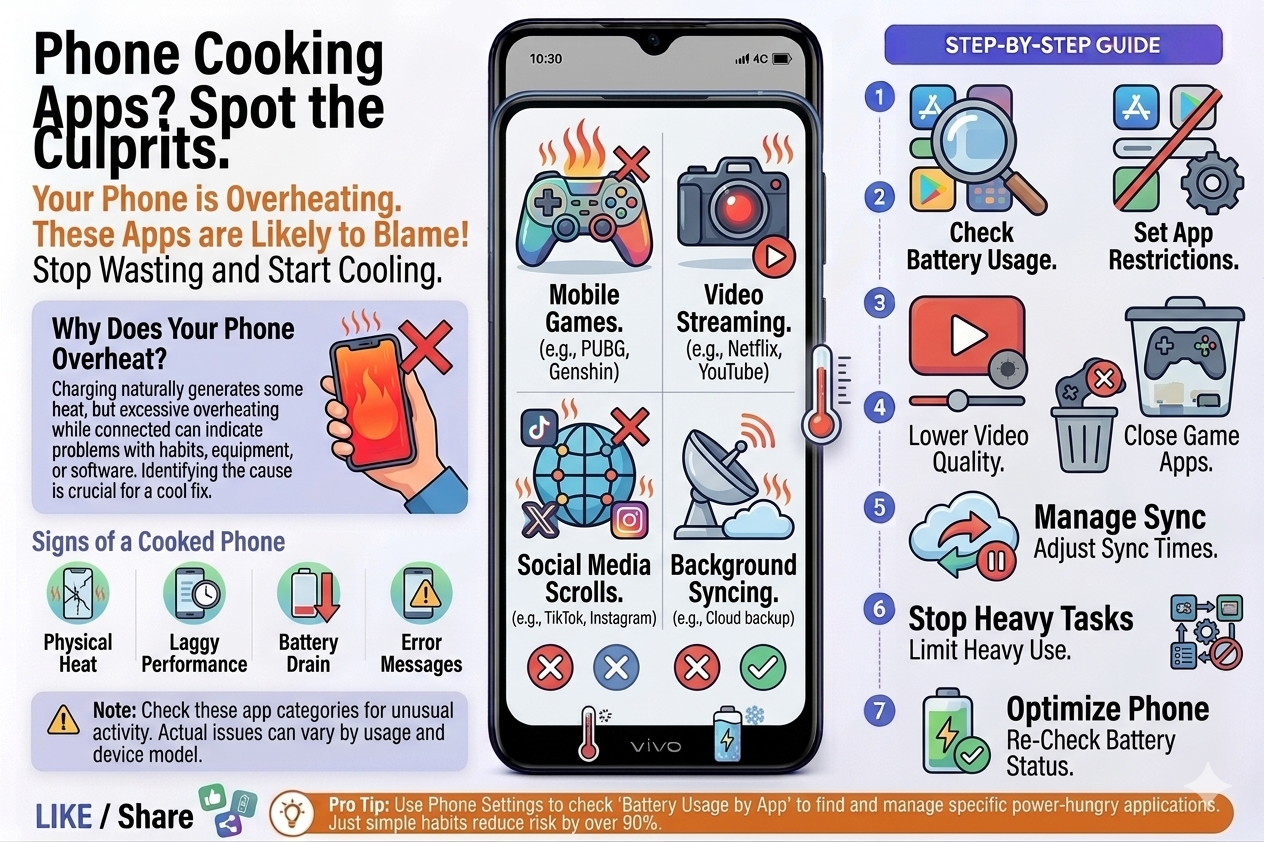
These are the categories I’ve personally caught causing heat issues during charging:
Social media with video auto-play: Facebook, Instagram, TikTok — if they’re auto-playing videos in the background while you charge, your GPU is active the entire time. Turn off auto-play in each app’s settings.
Navigation/GPS apps: Google Maps running while charging is brutal. GPS + screen + network + charging = maximum heat. Always close Maps completely when you don’t need it.
Antivirus apps that scan during charging: Several antivirus apps detect charging as the “ideal time” to run full device scans. Check your antivirus settings and disable auto-scan on charge if this option exists.
Here are the apps I recommend for monitoring and controlling heat:
| App | What It Does | Cost |
|---|---|---|
| AIDA64 | Shows real-time battery temp, CPU temp, and hardware info. My go-to diagnostic tool. | Free |
| CPU-Z | Monitors CPU frequency and temperature. Good for catching apps spiking your processor. | Free |
| AccuBattery | Shows charging speed, battery health estimate, and heat over time. Great for long-term tracking. | Free (Pro optional) |
| Greenify | Forces apps into true hibernation. Older but still works well on rooted and non-rooted devices. | Free |
| GSam Battery Monitor | Detailed per-app battery usage breakdown — great for finding the culprit app. | Free |
❌ Mistakes I See People Make All the Time
Please don’t do this. Rapid temperature changes cause condensation inside the phone — water vapor forms on the circuit board, and that’s how you get corrosion damage. I’ve seen people literally kill their phones doing this. Let it cool at room temperature naturally.
Lithium batteries hate being fully discharged. Repeatedly draining to 0% increases heat stress on the battery cells and degrades them faster. Ideally, keep your battery between 20% and 80% — this is when lithium cells are happiest and generate the least heat during charging.
This one genuinely worries me. A phone sitting at 100% charge, in a warm enclosed space, generating heat with nowhere to go — that’s how batteries swell. I’ve seen at least two phones with bulging backs from this habit. Use your phone brand’s “optimized charging” feature if it has one, and always charge on an open, flat surface.
Restarting helps temporarily — it clears RAM and kills background processes — but if a specific app is the culprit, it’ll just restart with your phone and start misbehaving again. You need to identify and fix the root cause, not just manage the symptom.
Using a 65W charger on a phone that only supports 18W doesn’t make it charge faster — the phone’s charging IC limits the input anyway. But the excess power somewhere has to go, and it goes as heat. Always match the charger wattage to what your phone’s spec sheet says it supports.
⚠️ When It’s Actually a Hardware Problem
If you’ve tried everything above and the phone is still getting dangerously hot during charging, it might be time to look at hardware. These are the signs that something physical needs attention:
The phone gets extremely hot only at one specific spot (usually near the charging port) even with the original charger. The battery is visibly swollen or the back cover is slightly raised. Charging speed has drastically dropped over time even on the original charger. The phone randomly shuts off due to heat even at 50% battery. Any of these means the battery is degrading or the charging IC is failing — get it checked at an authorized service center.
A battery replacement on most mid-range Androids costs between ₹800–₹2500 depending on the brand and model. It’s almost always worth it if the phone is otherwise in good shape. Batteries are consumables — they’re designed to be replaced after 500–800 charge cycles, which is roughly 2–3 years of normal use.
One more thing: if your phone took a water splash or sat in a humid environment, moisture inside the charging port creates resistance and heat. Try drying the port with a soft toothbrush or a can of compressed air before concluding it’s a bigger hardware problem.
Honestly, most heating issues during charging are fixable without spending a rupee. Start with the charger and cable, remove your case, stop using the phone during the first 15 minutes of charging, and check what apps are misbehaving in the background. That combination fixes the problem for probably 80% of people.
The 20% who still have issues after that usually need a battery replacement or a charger upgrade. Neither is a big deal. What IS a big deal is ignoring persistent overheating — it accelerates battery degradation, and in rare worst-case scenarios with badly swollen batteries, it becomes a genuine safety issue.
Your phone should feel slightly warm while charging. It should never feel like it’s competing with your kitchen stove. If it does, you now have everything you need to track down exactly why — and fix it.